 Maya
Maya ZBrush
 Houdini
 Unreal Engine
 Substance Painter
 Blender
 Arnold
 Nuke
Nuke KeyShot
 V-Ray
V-Ray Mari
Mari Marvelous Designer
 Marmoset Toolbag
 Substance Designer
 3ds Max
 3DCoat
 Redshift
 After Effects
 Faceform Wrap
 Lightroom
 OctaneRender
 SpeedTree
 Daz 3D
 Agisoft Metashape
 Fusion
 Modo
Modo RealityCapture
 Gaea
Gaea Cinema 4D
 Gravity Sketch
 Premiere
 Procreate
 Clip Studio Paint
 SketchUp
 SketchBook
 Katana
 Krita
Krita Natron
 Mudbox
 Quixel Bridge
 Quixel Megascans
 Quixel Mixer
 Substance 3D Modeler
 World Creator
 Yeti
Yeti Ziva VFX
 Mixamo
 SynthEyes
 Adobe Medium
 Quixel DDO
 Storyboard Pro
 Meshmixer
 Gaffer
 Corel Painter
 TreeIt
 DaVinci Resolve
 Massive
 Materialize
 World Machine
 Ornatrix
 PreForm
 Moi 3D
 xNormal
 QuickTime
 animBot
 ReCap
ReCap Unity
Unity
















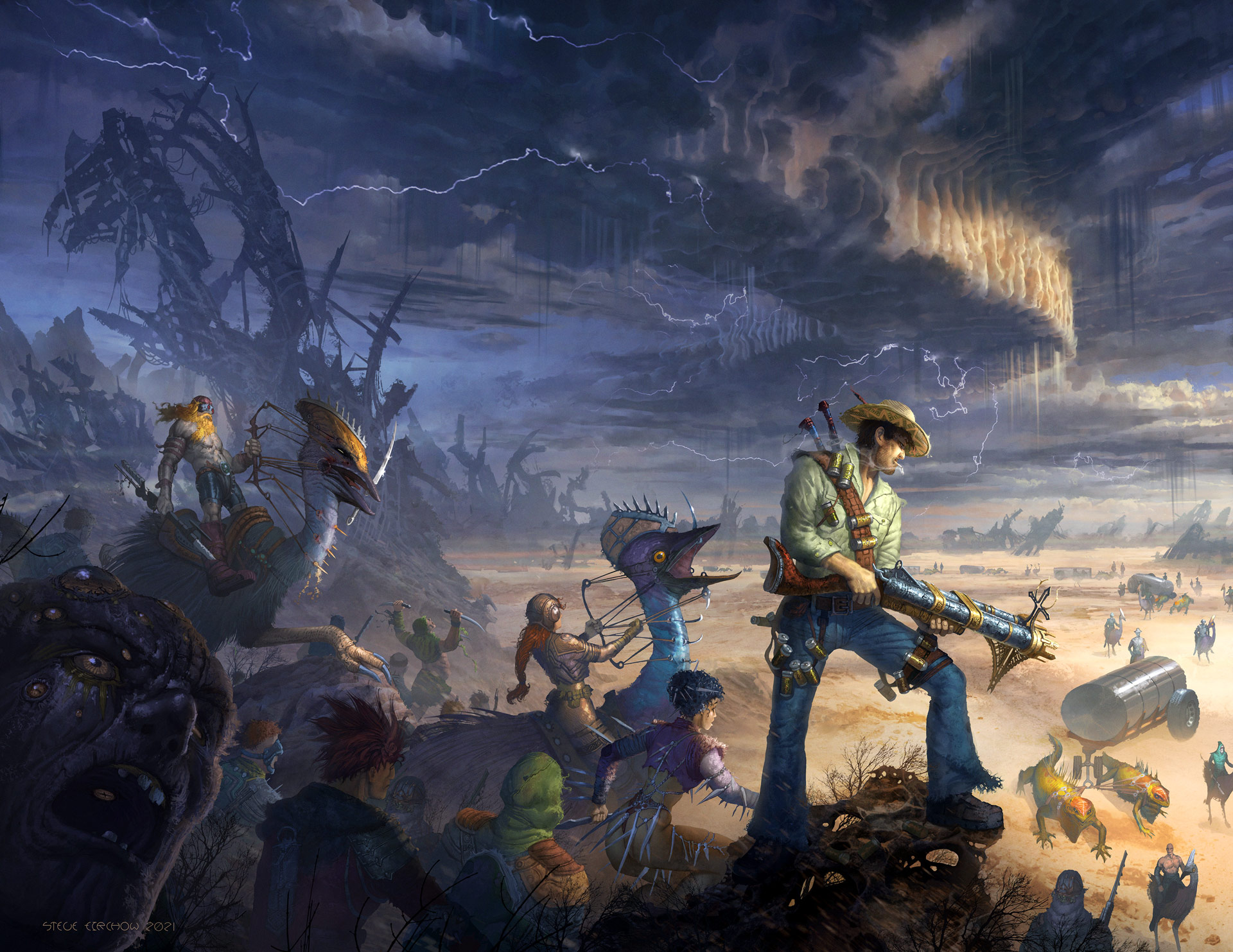
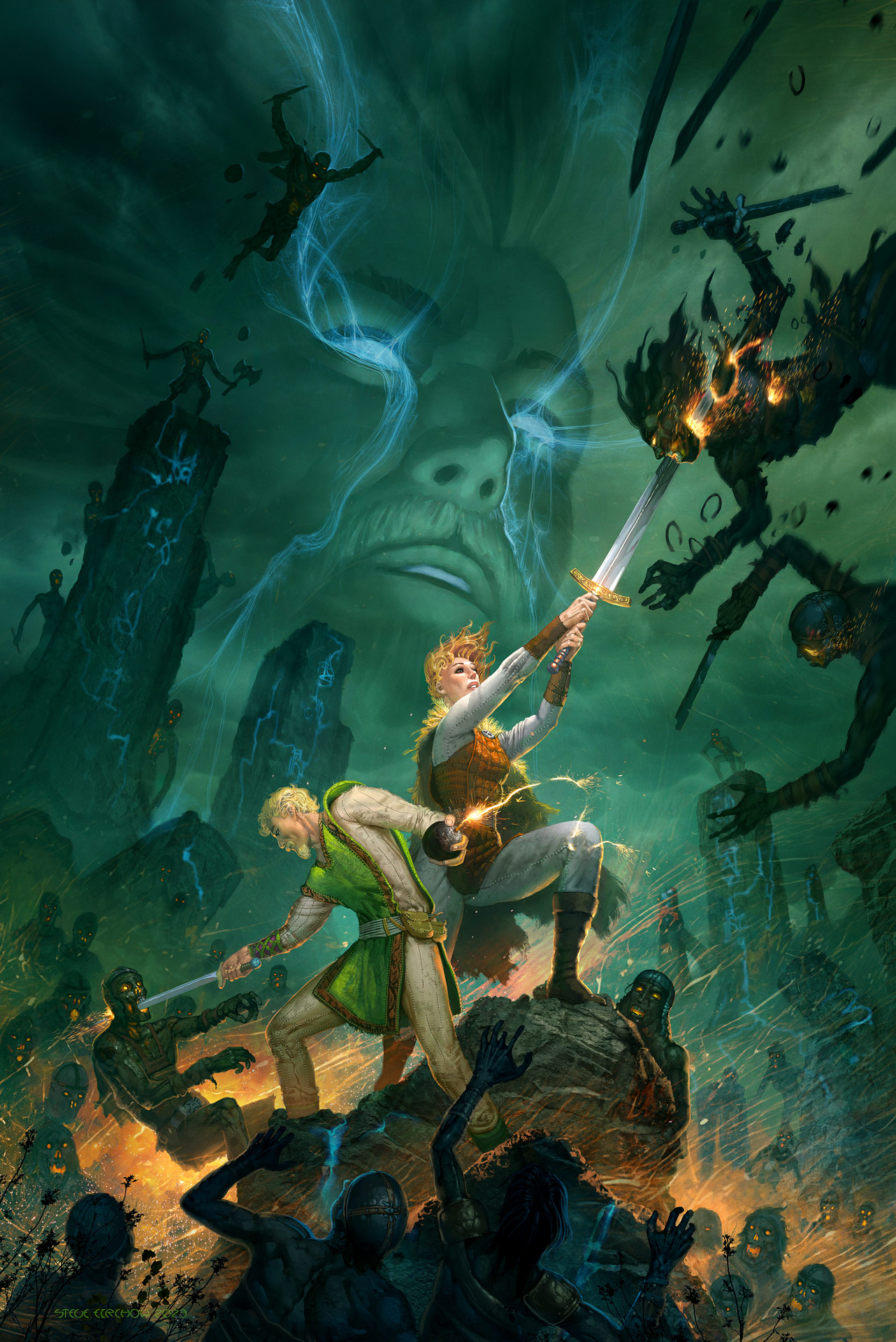
Steve Firchow reveals how to boost your creativity through an in-depth workshop that explores the art of highly detailed narrative realism. In this 4-hour workshop, Steve shares the workflow that he has used successfully over the course of his 30-year career in the entertainment industry, working as an acclaimed concept artist and illustrator.
Covering composition and design philosophy, while sprinkling in anecdotes from his years working on some of the industry’s biggest franchises, Steve’s workshop is aimed at intermediate-level artists who already have an understanding of 2D software and are comfortable with character and environment design, although the techniques demonstrated are attainable for artists of all levels. For ease of general entry, this workshop does not include any 3D tools in the process.
This thoughtful workshop covers a lot of ground very quickly; expect lots of sketching and digital painting to learn how to master the art of deeply immersive narrative illustration. Steve’s focus is on helping artists improve the efficiency of their layout and rendering skills through a wide range of time-saving techniques. He teaches how to balance and control the level of detail in character and environment designs so the final image appears extremely detailed yet never cluttered or confusing. Steve’s composition techniques aim to create drama and motion without resorting to clumsy, push-button solutions, and how to create the impression of extreme detail primarily through control of silhouettes.
Industry insights include consideration of “creative waste” that occurs frequently in large productions. Steve discusses in depth the importance of saving all ideas an artist may have while working on jobs – anything that helps build a catalog of work the artist can repurpose over their career. He also discussed the importance of understanding how to create clean, interesting character designs that take into consideration rigging and animation constraints in production.
With this workshop, Steve has provided his Photoshop files to show the key stages of his artwork creation, and his Blend Brush Settings to help artists emulate the rendering techniques Steve uses in his workflow.
8 Lessons
Steve introduces his workshop with an overview of his credentials and experience, followed by a short discussion of the workshop’s inspiration and references. Steve looks at some of the past illustrations and concepts he’s created for games, comics, and books to help artists better understand the workshop's end goal. He then poses several questions, including: What is the Story? Who are the characters? What are the characters doing? What is the mood of the scene we are creating? The lessons will continue to answer these important questions.
Duration: 11m 19s

Steve discusses format, simple perspective grids, and creating initial loose scribbles while concentrating on flow and composition. He talks through camera lenses, perspective distortion, and how to limit distortion in order to keep the scene and action clear and legible. He describes the importance of large, powerful visual flow lines, not just the traditional emphasis on shape and silhouette.
Duration: 28m 19s

In this lesson, Steve digs deep into the design of individual elements — characters, props, environment, architecture — and finalizes the full-size layout. This key stage focuses on line/drawing while showcasing important time-saving techniques, similar to 3D kitbashing, which can drastically reduce effort when drawing complex, organic architecture. Steve then shows how to prep the final layout for a color study.
Duration: 30m 31s

In this lesson, Steve teaches how to work out the value and palette for your artwork. He bypasses the traditional process of creating multiple black-and-white value studies and instead combines a color study with a value study for efficiency. This particular process assumes artists have an intermediate level of experience in foundational art and already understand how value and color work together. Using the reference and past concept work of the artist to decide quickly on a direction for the palette and lighting.
Duration: 25m 33s

In this lesson, Steve shows how to duplicate and optimize the working file to prevent wasted time jumping around layers, layer groups, layer FX, and so on. He then details how to paint the background and discusses the use and limitations of photo textures. Steve goes on to introduce extreme levels of detail with the intent of controlling clarity and confusion through atmosphere and contrast. At this stage, he is sharing how to throw massive amounts of visual information at the image, with the understanding that he will edit all of it as the lessons proceed.
Duration: 29m 37s

This lesson concentrates primarily on the characters. Steve introduces the Blend brush and replaces the colored line layout with a full rendering. He demonstrates how to remove the line and use it as a foundation and guide for the render. He discusses the importance of a simple blend brush and how to set it up in a 2D application, such as Photoshop. His preferred brush settings allow for very fine control of edge and form.
Duration: 19m 44s

In this penultimate lesson, Steve shows how to double and triple the size of individual characters and execute extremely tight renders. He explains the advantage of working on individual elements at twice the resolution of the main working file and discusses the critical importance of creating detail only in the silhouette. He shows how limited photo textures can be used to increase clarity and material description.
Duration: 32m 55s

In this final lesson, Steve reintroduces the 2x and 3x character renders back into the working file, demonstrating how to clean up, integrate, and tune the final image. He shows how to add final VFX and post-FX, and how to add the final top-level patch layer. Steve discusses the advantages and importance of controlling soft and hard edges by hand rather than relying on filters. He concludes by discussing the importance of not stopping, even when it feels like the image is done.
Duration: 33m 20s

Primary tools
For this workshop you’ll need:

* Note that these programs and materials will not be supplied with the course.
Project Files
• Photoshop design files – Steve's layered PSD files show his complete design process and painting workflow
• Reference Materials (.jpg) – An image showing Steve's Blend brush settings for you to replicate in your workflow
Skills Covered
Who’s this Workshop for?
Artists of all skill levels can benefit from Steve's proven workflow and time-saving techniques developed over his 30-year career. This workshop gives artists invaluable industry insights into creative efficiency, portfolio building, and understanding production constraints, which are all essential for career advancement in entertainment.
Learning Outcomes
Key skills include:
• How to balance detail with clarity to avoid cluttered or confusing compositions.
• How to control silhouettes effectively to create the impression of intricate detail.
• How to compose dramatic scenes with natural motion without relying on formulaic solutions.
• How to develop efficient layout and rendering workflows that save significant production time.
• How to create clean character designs that consider rigging and animation production constraints.
• How to minimize creative waste and build a repurposable catalog of ideas.
• How to apply Steve Firchow's custom Photoshop Blend brush settings for professional rendering results.